
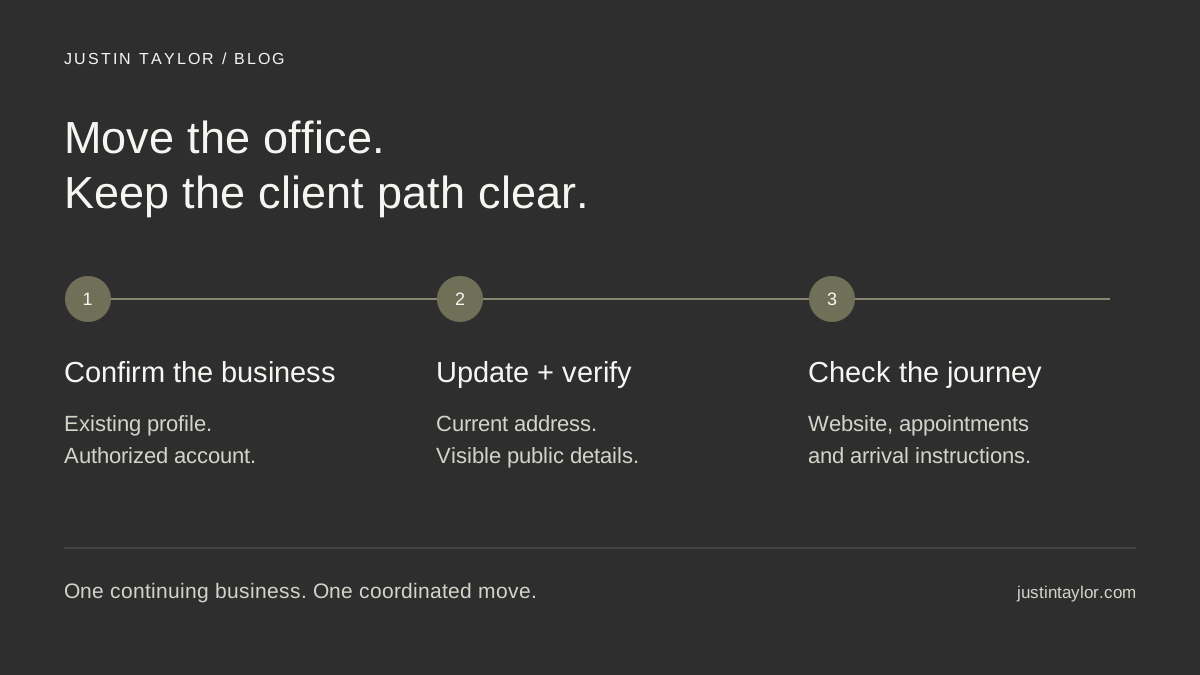
When the same real estate business moves offices, update its existing Google Business Profile. Creating a replacement simply because the address changed can leave you managing duplicate information while clients still find the old location. Start by confirming which business the profile represents, prepare the new details, and check the public result after the change.
Semrush’s October 7, 2026 guide to multi-location SEO emphasizes repeatable processes for maintaining location information. That principle is useful even for a single office. The checklist below applies it to a specific event: moving an established real estate business while keeping its online contact path usable.
Confirm whose profile is moving
Before editing an address, write down the business represented by the listing. Is it the brokerage office, an individual agent’s practice, or another eligible business? Those identities are not interchangeable.
For example, an agent joining a different brokerage should not turn the former brokerage’s profile into a personal listing. Likewise, a brokerage moving to another suite should not create a new agent profile to solve an office-address problem. These are hypothetical examples, but the distinction determines which account and listing need attention.
Open the existing profile and confirm that an authorized person can manage it. Google lets owners and managers use their own accounts, avoiding shared passwords. Access is managed under More → Business Profile settings → People and access. New owners and managers face a seven-day restriction on certain ownership and removal actions, so arrange access before moving day. See Google’s owner and manager guidance.
If an existing profile belongs to another account, use Google’s ownership request process where applicable. For a service-area business, that documentation directs you to support. Creating another listing is not an access-recovery plan.
Prepare one move record everyone can use
A move often involves an assistant, office manager, website provider and several agents. Give them one approved record so they are not copying different versions from emails. Separate the date a change was submitted from the date someone confirmed it publicly.
| Record | What to write down | What closes the task |
|---|---|---|
| Business identity | Exact business name and existing profile link | The authorized owner confirms it is the continuing business |
| New location | Street, suite, operating date and client entrance | A visitor can identify and reach the correct office |
| Contact path | Phone, website page and appointment instructions | Calls and links reach the right person or destination |
| Publication status | Who submitted each change, when, and any review message | Someone checks the public version and records the result |
Keep verification material and account details in a restricted working folder, separate from the public announcement. A colleague checking the website needs the approved address; they do not need unrestricted access to business records.
Check whether the new location qualifies
An address you can receive mail at is not automatically an eligible office. Google excludes virtual offices where the business does not operate. A coworking office must meet its conditions, including signage, receiving customers and staffing by your business during stated hours. An address displayed publicly should have permanent fixed signage.
Google also has specific rules for individual practitioners, including real estate agents: they must be public-facing and directly contactable at the verified location during stated hours. Check the current business representation guidelines before assuming a new suite, shared workspace or brokerage arrangement qualifies.
If customers do not visit your business address, review the appropriate service-area setup rather than publishing a private address simply to fill a field. The broader Google Business Profile guide for real estate agents can help you review the rest of the listing.
Edit the existing address and complete verification
Once the new location is operating and the approved details are ready, follow Google’s address-editing instructions:
- Open the Business Profile you manage and choose Edit profile → Location.
- Use the edit control beside Business location.
- Enter the full official address, including the correct suite or unit.
- If Google flags address fields, correct them. If it still cannot find the address, use Adjust to place the map pin.
- Save the change and record its status.
Google states that a verified business moving to a new address must verify again. Follow the instructions offered for your profile. Allow room in the move plan for that work instead of promising that the listing will switch at a particular hour.
Saving is also different from approval. Google reports edits as accepted, pending or not approved. Its edit-status guidance says reviews usually take up to ten minutes but can take up to thirty days. Keep the status message with your move record and use the relevant support or appeal route if necessary.
Handle reviews as part of business continuity
Google explicitly advises against creating a new profile solely because a business changes location or ownership. Its review-transfer guidance says that when a business moves and keeps its name, reviews normally move with it, with exceptions for some business types.
If you accidentally created and verified a replacement, Google directs you to support to request a review transfer. A substantial change in the business may be treated differently. Do not assume that changing an agent’s affiliation makes another business’s reviews transferable.
Record what the existing profile showed before the move and check it afterward. If something is missing, keep the relevant profile links and support correspondence together. That gives the person handling the issue a clear history.
Follow the route a client will actually take
The address field is only one part of the move. Imagine a seller looking you up before an appointment: they open your profile, tap the website, read the meeting instructions and then ask their phone for directions. Review that entire sequence.
In a hypothetical suite change within the same building, the street address may look correct while the appointment email still points to the old floor. A useful update would include the suite, an entrance photograph and any practical check-in instructions. The objective is a successful visit, not a collection of completed admin tasks.
- Website: check the contact page, office page, footer, map and any address in structured data.
- Appointments: review booking confirmations, calendar location fields and directions sent by the team.
- Public profiles: check the brokerage directory, relevant professional profiles and platforms clients actually use.
- On a phone: open the public listing, follow its website link and test the displayed phone number and route destination.
Keep an existing website URL when it still serves the same purpose. If a page must move to a different URL, include a permanent redirect from its former address in the website work. For a wider cleanup, use the local citation audit to prioritize outdated listings rather than updating directories indiscriminately.
Close the handoff with evidence
Assign one person to verify the public details after approval and another check during the following week. Save the URLs checked, the date and any unresolved differences. If a client reports arriving at the old office, ask which link or message they followed; that identifies a remaining correction.
A practical completion standard: the right business is on the existing profile, its current details are visible, and a client can reach the new office using the published instructions.
Correct information supports a clearer client experience; it does not guarantee a particular search position. If your move exposes inconsistent profiles or a confusing website contact path, connect with Justin to discuss a focused Local presence review.
Sources & further reading
Platform guidance and research referenced in this article. Reviewed October 19, 2026.
- Semrush: Multi-location SEO: How to build a scalable strategy — October 7, 2026
- Google Business Profile Help: Manage your Business Profile owners & managers
- Google Business Profile Help: Request ownership of a Business Profile
- Google Business Profile Help: Guidelines for representing your business on Google
- Google Business Profile Help: Manage your business address
- Google Business Profile Help: Edit your Business Profile
- Google Business Profile Help: Understand what happens to your Business Profile edits
- Google Business Profile Help: Move your reviews across Business Profiles

Growth & Strategy Manager at Inspire Title Team | WFG Title. Marketing and AI guidance for real estate professionals.