
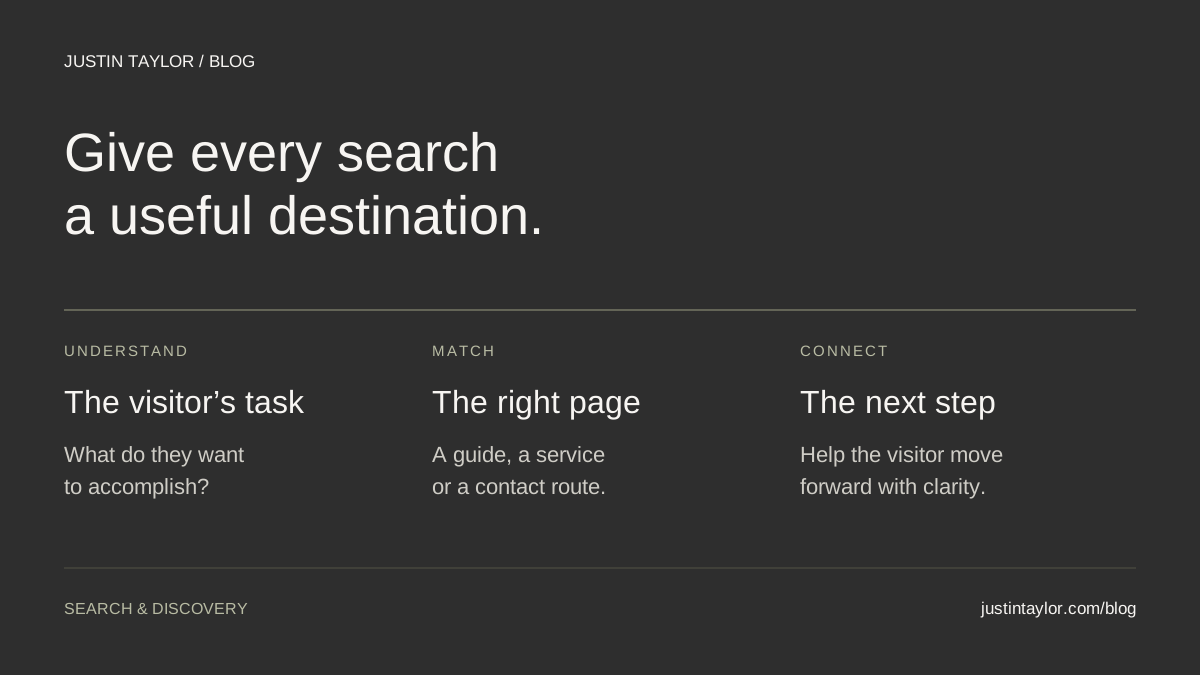
To match search intent on a real estate website, identify what the visitor wants to accomplish, then send them to a page that helps them do it. A question may need a guide. Someone evaluating your services needs an explanation of how you work. A person ready to reach you needs a clear contact route.
Semrush’s guide to keyword types, dated October 9, 2026, groups searches around learning, finding a particular destination, comparing and taking action. Those categories provide a starting point. The useful exercise for an agent is deciding which existing page should answer each search, and what that page still needs.
Name the task behind the search
Write the visitor’s goal as a sentence before choosing a keyword or commissioning an article. “Understand how to prepare for a listing consultation” gives you a different assignment from “choose someone to help sell a home.” Both concern selling, but the reader is asking for different help.
Collect a small set of questions from conversations, email inquiries and your website’s search data. Remove personal information. Then finish this sentence for each one: “After opening this page, the visitor should be able to…”
Useful endings might be “prepare three questions,” “understand the service” or “request an appointment.” If your answer is only “learn about real estate,” the assignment is still too broad. A specific task gives the writer, designer and person reviewing the page something concrete to assess.
Build a search-to-page map
The examples below are hypothetical planning prompts, not verified keyword-volume estimates or observations of current search results. Substitute your actual services and audience. A service page can support comparison and contact without needing separate pages for every variation of the same phrase.
| Example search | Likely visitor task | Page to consider |
|---|---|---|
| What to bring to a listing consultation | Learn how to prepare | A focused guide with a usable checklist |
| [Agent name] brokerage | Find and identify a professional | A current biography with clear affiliation |
| How to choose a listing agent | Compare approaches | A guide with evaluation questions and concrete criteria |
| [Agent name] seller services | Evaluate a specific offer | A service page explaining scope, process and next steps |
| Contact [agent name] | Start a conversation | A contact page with working options and expectations |
| Homes for sale in [area] | Browse available properties | An appropriate, current property-search destination |
The final row exposes a common content mismatch. An essay introducing an area may help with research, but it does not provide the inventory someone hoped to browse. If your site offers property search, make that destination easy to find. If it does not, describe honestly what your guide provides.
Put the intended URL beside every task. Several searches can belong to one page. A blank URL is a question to investigate, not an automatic instruction to publish something new.
Check the results before committing to a format
Search a few representative phrases and record the date, device and location context. Note the types of pages you see: articles, business profiles, service pages, videos or property listings. Open a few relevant results and identify what a visitor can accomplish on them.
This is a format check, not a copying exercise. You are looking for evidence that a particular kind of answer makes sense. Results can show several needs at once, and a short phrase can be ambiguous. Keep your initial interpretation provisional.
Google’s Search Console documentation notes that results depend on time, place, device and recent search history. One browser session is a snapshot, not a universal ranking report. Record what you observed rather than announcing that everyone sees the same results.
Then return to what your business can contribute. A useful page may include a clear explanation of your process, an original planning sheet or an example with enough detail to help someone decide. Google’s people-first content guidance emphasizes original value and helping the intended reader accomplish a goal.
Repair the mismatch before adding more content
Imagine a hypothetical agent’s seller-service page. Its opening says, “The ultimate guide to selling a home,” followed by a long explanation of the general process. The agent’s actual services appear near the bottom. A visitor researching that specific professional has to work to find the answer.
A better brief for this page would be: “Help a prospective seller understand the support this agent provides and prepare for an initial conversation.” The opening could explain who the service is for, how the first conversation works and where the reader can learn more.
Use this outline to review the substance:
- Scope: describe the work the agent actually provides, with clear boundaries.
- Process: explain what happens at the beginning and how the next steps are agreed.
- Evidence: include relevant, permissioned examples or genuine client feedback that supports the description.
- Preparation: tell a visitor what information would help make the initial conversation useful.
- Action: offer a contact option whose label describes what happens next.
The educational material can remain in a focused supporting article when it provides a distinct answer. Link to it where a seller would want that detail. The service page still needs to explain the service in its own right; it should not become a thin signpost to another page.
Choose between an update and a new page
Compare your proposed brief with the existing library. If an article already helps the same audience complete the same task, improve it. If the new question requires a different result, a separate page may be justified.
For example, “questions to ask a listing agent” and “how to interview a listing agent” may fit one strong guide. A seller-service page serves another purpose because it explains a particular professional’s offer. The distinction is the work the page does for the reader, not whether two titles contain different words.
Use the content-cluster guide to organize related pages once their purposes are clear. For place-based material, the community-page guide explains how to give local research its own useful destination.
Avoid producing near-identical pages for every location or keyword variation simply to funnel people to one contact form. Google’s doorway-abuse policy addresses pages created for similar searches that serve as less-useful intermediaries. Publish a separate page when it offers a substantial, distinct answer.
Align the title, opening and next step
Review these three parts together. A title promising a checklist should lead to an actual checklist. A heading about seller services should introduce the service. A button labeled “View available homes” should open the relevant search destination.
Google recommends descriptive, concise page titles and discourages repeated or stuffed wording. Give the page a clear name rather than adding every phrase from your research. Google determines the displayed search title automatically, so your title is an input rather than a guaranteed presentation.
Keep the current URL when a page still serves the same purpose. A clearer title does not require a new slug. If a URL genuinely must change, have your website manager preserve the old address with an appropriate redirect and update the internal links.
Make those links descriptive. “Prepare for your listing consultation” tells a reader more than “Click here.” Google’s link guidance recommends relevant anchor text and crawlable links. Choose the next resource because it advances the visitor’s task.
Finish with one page you can evaluate
Create a short working brief: visitor task, example searches, destination URL, missing information, intended next step and review owner. Choose one page where the mismatch is obvious and make the improvement before expanding the assignment.
Ask someone unfamiliar with the draft to open it on a phone and explain what it offers. Have them find the promised resource and follow the contact route. Confusion during this simple review gives you a specific editing task.
Later, use Search Console’s query and page reports to compare the searches reaching the page with its intended purpose. Keep reporting periods and filters consistent, and consider the inquiries you receive alongside clicks and impressions. Traffic changes alone do not prove that one edit caused a result.
Justin helps real estate professionals connect website structure, content and a clearer search presence. Explore real estate SEO and search strategy or start a conversation about the pages your clients need next.
Sources & further reading
Platform guidance and research referenced in this article. Reviewed October 11, 2026.
- Semrush: 4 types of keywords in SEO (+ examples), dated October 9, 2026
- Google Search Console: Performance report overview and basic setup
- Google Search Central: Creating helpful, reliable, people-first content
- Google Search Central: Doorway abuse policy
- Google Search Central: Influencing title links
- Google Search Central: Link best practices

Growth & Strategy Manager at Inspire Title Team | WFG Title. Marketing and AI guidance for real estate professionals.