
Add YouTube chapters by placing labeled timestamps in your video description. Build the list from the finished edit, then test every jump. Each chapter should lead to a complete answer that matches its label.
This is especially useful for a longer educational video that a buyer or seller may return to before a conversation. Someone who has already watched your consultation overview might only need the section about organizing their questions. Clear chapters give that person a practical way to revisit it.
HubSpot’s content-marketing guide, updated November 5, 2026, starts with a specific audience and its needs when planning content. Apply that principle inside the video as well: organize the explanation around the questions a viewer wants answered, then make those answers easy to locate.
Choose a video with distinct answers
Start with an educational video that contains several useful sections. A consultation walkthrough, a demonstration of a planning worksheet or a recorded client-education presentation may be a good candidate. Choose one whose underlying information is still accurate.
A short clip answering a single question may not need chapters. Dividing every sentence into a section adds work without necessarily helping the viewer. The useful question is whether someone would have a reason to return to a particular part.
For example, imagine a seven-minute-ten-second video titled “What to Bring to Your First Listing Conversation.” It could cover priorities, timing, property questions and how to organize notes. This is a proposed teaching example, not an existing video or a claim about Justin’s consultation process.
If the recording wanders between topics, address the structure first. Chapter labels cannot make an unclear explanation coherent. The YouTube planning guide can help you connect the title, opening and content before you add navigation.
Map the answers in the finished edit
Watch the final exported video with a simple note sheet. Record the time when each distinct explanation starts, what the viewer learns and what appears on screen. Use the actual recording rather than estimating timestamps from the script.
Place a chapter at the start of a complete thought. If a presenter says “That brings us to your timing,” starting the chapter just before that transition is more helpful than landing halfway through the next sentence.
Review any introduction too. A chapter called “What to bring” should contain that answer. If the opening only explains the purpose of the video, label it accordingly and put the preparation details in their own sections.
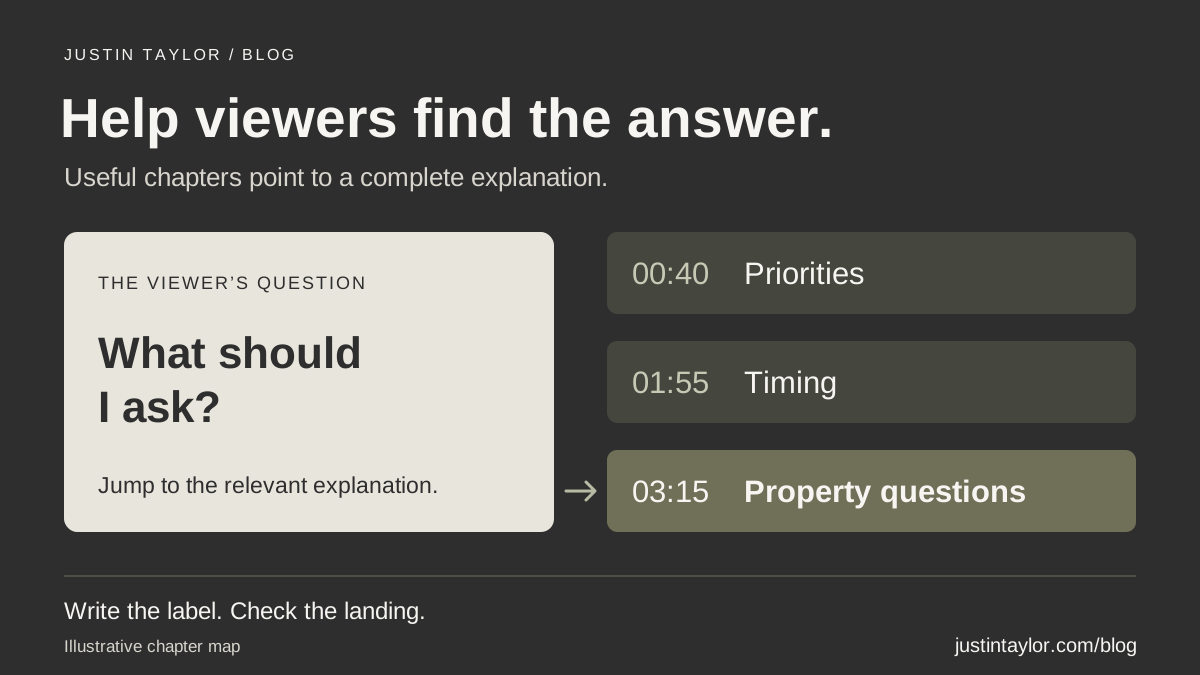
The sample video might use the following map. These are illustrative timestamps that must be replaced with the timings from your own edit.
| Start | Chapter label | What the section should deliver |
|---|---|---|
| 00:00 | Preparing for the conversation | Explain what the video helps the seller organize. |
| 00:40 | Set your priorities | Show a blank space for recording what matters to the seller. |
| 01:55 | Describe your timing | Separate a preferred schedule from dates that need discussion. |
| 03:15 | List your property questions | Demonstrate how to collect questions without assuming the answers. |
| 04:45 | Organize your notes | Bring the preparation into one readable page. |
| 06:10 | Choose the follow-up | Explain how to continue the conversation using those notes. |
Write labels that mean something on their own
Compare “Part 3” with “List your property questions.” The second label tells the viewer what to expect before selecting it. Keep each title short enough to scan while retaining the words that distinguish it from the other sections.
Avoid teaser labels such as “The thing nobody tells you.” The person using chapters is often trying to find a specific answer. Withholding the subject makes that task harder.
Do not expand a label beyond the content. “What your home is worth” would misrepresent a section that only describes questions to ask about a future valuation. “Prepare your pricing questions” would be a better fit if that is what the recording actually teaches.
Use location names only when the section contains relevant local information. Repeating the city and “real estate agent” in every chapter crowds out the useful distinction between topics.
Add the chapters in YouTube Studio
YouTube’s chapter instructions give the setup requirements. On a computer:
- Sign in to YouTube Studio and open Content.
- Select the video you want to update.
- In Description, enter the chapter timestamps and titles.
- Start the list at 00:00, include at least three timestamps in ascending order, and make every chapter at least ten seconds long.
- Select Save.
Put each timestamp and its label together on a separate line. For example, 01:55 Describe your timing. Check the last section against the video’s full duration as well.
If chapters are unavailable, YouTube directs creators to advanced-feature access. Its eligibility guide describes phone verification followed by sufficient channel history or ID/video verification where available. Review Settings → Channel → Feature eligibility for your channel; the primary owner handles identity verification.
Review automatic chapters before relying on them
Manual chapters override automatic ones. YouTube places the automatic setting under Show more → Automatic Chapters in the video details. Eligible videos are not guaranteed automatic chapters; active strikes or potentially inappropriate content can also prevent the feature.
Whether the labels were generated or written by someone on your team, compare them with the recording. Check local names, the boundaries between topics and the meaning of each heading. A technically correct timestamp can still be attached to an unhelpful label.
For the example video, a generated title such as “Selling timeline” might sound definitive. If the section only helps viewers describe their preferred timing, revise the label to reflect that narrower purpose.
Test the video as a returning viewer
Open the saved video on a phone and a computer. Select every chapter and listen to the first sentence after each jump. Confirm that the heading is accurate, the transition makes sense and the relevant visual has appeared.
Then ask a colleague to find one answer without watching from the beginning. For the sample video, ask them to locate the advice about collecting property questions. Note where they hesitate. This is a usability check, not evidence of an increase in views or inquiries.
If the expected chapters do not appear, recheck the starting timestamp, order, number of entries, section lengths and channel access against the official instructions. Do not keep rewriting descriptive titles to solve an eligibility issue.
Chapters also serve a different purpose from captions. They help organize the sections; accurate captions carry the spoken explanation. Use the video caption checklist to review that part of the experience separately.
Keep the chapter map with the video record
Save the final timestamps alongside the video URL, export version, resource links and review date. If an editor trims or replaces the recording, check the map again. Even a short cut near the beginning can leave later timestamps pointing to the wrong place.
Google’s video guidance also describes using YouTube description timestamps and labels for key moments in search. That possibility is separate from verifying your chapter navigation on YouTube. It does not guarantee a search feature, ranking or AI citation.
Start by making one accurate video easier to use. If the chapters reveal a recurring question that deserves a fuller explanation, add that topic to your video content plan. Justin’s YouTube and video strategy support helps real estate professionals connect clear explanations, useful navigation and a practical next step for viewers.
Sources & further reading
Platform guidance and research referenced in this article. Reviewed November 19, 2026.
Growth & Strategy Manager at Inspire Title Team | WFG Title. Marketing and AI guidance for real estate professionals.